










I remember using Honeybook as a wedding planner for the first time like it was yesterday. It was the fastest I had ever gone from the proposal to the contract to the first payment. I loved the little “ka-ching” sound the app made, and I thought – is this really it? Did I just book my next wedding that easily? I knew right then and there that Honeybook *is* the best wedding planner CRM.
Since then, Honeybook has continued to grow with my business and somehow always knows exactly what we busy business owners need. Although I’ve officially retired from my wedding planning business, I still use Honeybook today as a coach for fellow wedding pros!
As wedding planners come to me stressed out about their marketing, branding, and the never-ending need for better systems, Honeybook is still the #1 tool I recommend for growing your wedding business. Plus, you want to invest in the right wedding planner CRM for your biz.
(And a little sidenote: Honeybook has introduced some new amazing plans in 2023 for your wedding planning business. You can now choose between three different pricing tiers – and I break down the Honeybook plans, and my thoughts on each in this Honeybook plans article.
Are you raising your hand and saying, “I need this”?
Click here to get Honeybook for 50% off your first year!
… or use the code purpose at checkout

Let’s just get one thing out of the way: setting up a new CRM is no joke. I know you don’t want to be flip-flopping from one software to the next, wondering if this next thing is *really* going to solve your problems. It’s a lot of work.
On top of that, it’s hard to find time as a wedding planner to implement systems. Instead of just telling you that I love Honeybook, I want to share with you 7 ways you can use Honeybook. Whether you just started your wedding planning business or have been in the game a while now, it’s something I will continue to recommend again and again. And I’m totally convinced that Honeybook is the right wedding planner CRM for you.
1. Use Honeybook to Send Out Pricing Information
Want to know how to make more sales? Help your clients buy.
You might not want to list all of the sales details on your website (and even if you do, you’ll likely want a more elevated process after a potential client reaches out!). Sending out brochures is one of my favorite ways to use Honeybook as a wedding planner, and it’s an absolutely seamless way to get your pricing information out to new couples as they inquire.
2. Send Contracts (and automate your payments!)
Say hello to the smooth booking process you’ve been missing. I hope the booking process is something you pay extra attention to already (after all, who doesn’t want to get paid), and Honeybook makes it really, really easy.
So what does a solid booking process include anyway?
We have already talked about sending over pricing information (and anything else your couples need to know before they hire you as their wedding planner), so the next step is getting them to sign your contract on the dotted line and pay your fee!

3. Send Out Questionnaires To Clients With A Click
As a coach for wedding planners, I hear “I just need better systems” about a hundred times a day. But when I try to get them to dive in a little deeper, they don’t always know exactly what needs to change.
My team member, Sarahna, wrote a great list of 5 systems wedding pros need to have in their business, but I also want to add that I think the onboarding process is one of the places where most wedding planners have a little (or a lot of) room for improvement.
You just got paid (YAY!), and your customers are excited to work with you. Keep them happy during this short and sweet phase in your service journey, and I promise you that they will be easier to work with the entire time.
So how can Honeybook help? Your onboarding process likely includes at least one questionnaire, right? You need to obtain important information, and Honeybook is an easy way to send it over after they make their first payment.
On top of that, you won’t have to worry about losing that questionnaire email down the line. Most wedding planners are organized by nature, but who hasn’t lost an email or file or two? Honeybook keeps all of your questionnaires together in one easy-to-access place from onboarding to offboarding.
4. Deliver Your Design Proposals For Weddings Using Honeybook
One of my favorite reasons to use Honeybook as a wedding planner? It keeps everything in one place. So when you deliver your wedding design proposals, or your customer offers up feedback, it’s all right there on one dashboard.
Not only is it easy for you and your team to access, but it also makes it easy for your customers to find things too (which means fewer emails at 7pm asking you to resend something for the 5th time).
You’ll still get some of those questions (that’s the job, after all!), but having a client center they can access is sure to cut it down!
Another reason why I love delivering design proposals in Honeybook is that it provides a more luxurious experience for your customers. After all, email is kind of boring. For something that your customers can’t wait to get their hands on (and likely show their family and friends!), taking them out of their inbox is something they will appreciate!
5. Use Honeybook To Collaborate With Other Vendors Inside The Workspace
You are only as organized as your least organized vendor, am I right?
As a former wedding planner, I know how hard you try to keep everything organized for your clients, and some wedding vendors make it a little easier than others. By having one workspace per couple, you can easily collaborate with (and nudge!) when necessary for an easier way to work with other wedding vendors that your couple has hired. After all, wedding planning takes a village!

6. Schedule Meetings With a Click
I know I keep saying this, but this right here is easily one of my favorite features when using Honeybook as a wedding planner. I talked in detail about Honeybook’s scheduling feature here if you are interested in diving in and learning more, but the TL;DR version is this: Honeybook added a scheduling tool where you can add your appointment types and availability, which means your customers can schedule a time with you faster (and without any back and forth from either party!). You can even add automatic reminders, which means less time wasted from missed meetings.
If you are already using Acuity or Calendly, you already know what a game-changer a good scheduling software can be.
If you aren’t sure what the big deal is, let me just take a second to really drive home why this is one of my favorite features. Meeting with clients can increase your chance of winning them over by 40%. If I know you, I know there are likely many things you do to make it easier for your customer to buy. Don’t overlook making it easy to schedule a meeting with you!
7. Automate Emails And Reminders To Save Tons of Time
Although not EVERYTHING can be automated as a wedding planner, I love the automation features Honeybook provides for wedding planners. Even though we can’t automate as many things as a photo booth or a DJ (for example!), we can automate things like invoice reminders, client birthday emails, and first-anniversary love notes!
Even if our work is a little too nuanced to send a templated email two weeks before the wedding day, we can schedule reminders for ourselves to surprise and delight our customers with gifts, thoughtful notes, and more. It sounds a little robotic, but your customers will never know! I know firsthand that these things get missed when you get busy, so scheduling reminders to yourself for even the most minor tasks can be extremely helpful as you really start to scale your wedding business.
Honeybook helps wedding planners like you book your ideal client faster, easier, and more often. And that’s what makes it the best wedding planner CRM.
If I caught you skimming – it’s okay; your being busy just proves how much you need this – here is a quick recap of 7 ways to use Honeybook as a wedding planner and why it’s the best wedding planner CRM:
- Send out pricing information
- Send out contracts and automate your payments
- Deliver questionnaires to clients
- Deliver your design proposals
- Collaborate with other vendors inside the workspace
- Schedule meetings and phone calls faster
- Automate emails and reminders
So, now that I’ve shown you how I have used Honeybook as a wedding planner from inquiry to offboarding, the question is: Is Honeybook right for your wedding planning business?
I say this all the time, but we really can’t afford to get it wrong in the wedding industry. Honeybook provides a better customer experience throughout the planning process, but it also helps YOU as a wedding planner stay organized throughout the process.
After more than a decade in the wedding industry, I don’t recommend anything that isn’t a win-win for both of you.
If you want an even more in-depth look at Honeybook, check out my 2023 Honeybook review.
Does Honeybook sound like the right fit for your business?
Get Honeybook for 50% off your first year – limited time offer!
… or use the code purpose at checkout
Explore More Wedding Industry Resources
- Honeybook 2024 Pricing & Plans: Which Honeybook Plan Should You Choose For Your Business?
- 2024 Honeybook Review: Is Honeybook Worth It And What You Need To Know Before You Sign Up
- Honeybook vs. Dubsado 2024 Reviews: Which CRM Is The Best?
- The Best Resources for Wedding Planners
- How Much Should You Charge As A Wedding Planner? Learn How To Figure Out Your Wedding Planner Pricing
- How Much Does It Cost to Become a Wedding Planner?
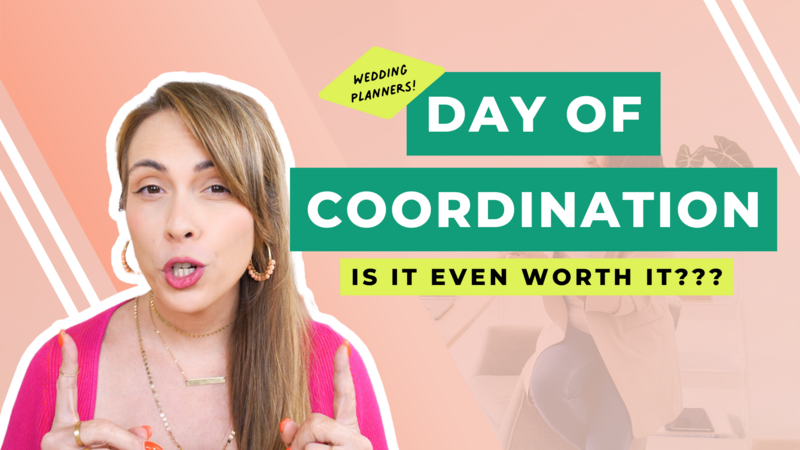
- Day of Coordination: The Pros and Cons as a Wedding Planner
- How to Start a Wedding Planning Business
- The #1 Reason Why You’re Not Booking The Right Wedding Clients (And How To Fix It)
- 5 Online Wedding Planning Tools You Need to Use
- The Best Wedding Planner Onboarding Workflow: 5 Things You Need
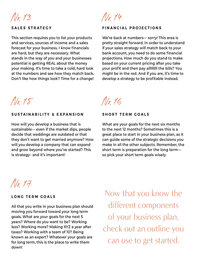
- 5 Tips On Crafting a Business Plan To Book Out Your Biz With Your Ideal Clients And Get Paid
For More Wedding Planner Business Secrets Follow Me On Instagram
Today I got to share Cue with my DI mastermind, and I’m feeling really proud. 🥹
I’ve been so busy building it that it felt good to stop for a minute and share the story with a room full of people I love and admire. So many smart, talented, generous people who I’m lucky to call my friends.
This was a special one. ❤️
Would you guys like to hear what I shared? I’m thinking about breaking it down into a series here on Instagram. Should we do it?
@ninelemonsfengshui encouraged me to share it with you all here, and I think I should. LMK in the comments if you’d be interested in my presentation from today!

Day one in Charleston for the DI Mastermind, and I spent ten hours of it in my hotel room working on Cue. I’ve been at it since 7 a.m., trying to get client portals ready, and I didn’t get as far as I’d hoped.
But I did close my laptop long enough to hug some of my mastermind friends, catch up before sessions start tomorrow, and see this.
I’d love to tell you this sunset inspired some profound revelation, but mostly I think I needed to leave my fucking room. 😂
Although maybe that’s the reminder: there will always be something that needs more of me. I’m allowed to step outside and enjoy where I am before everything is finished.
And so are you! 💜
I’ve been doing brand shoots for almost 20 years, and I have opinions 😂 Here are 9 things that make them great:
1. Hire a photographer who specializes in brand shoots. There’s a big difference in quality when you work with someone who understands how to photograph you AND your business. Go with the best you can afford.
2. Book more time than you think you need. An hour is nice for headshots, but multiple outfits and scenes take hours. If you want lots of variety, give yourself time to create it. If you’re going to do it, go big and do it right.
3. Know how you’ll use the photos. Your website, social media, launches, presentations—tell your photographer what you need. Plan for different crops, orientations, and room for text.
4. Have a creative direction. Build a mood board so everyone understands the vibe. Think about the story you want the photos to tell before you show up.
5. Dress for where your brand is going. This is your chance to show up as the version of yourself you’re stepping into. Bring outfits that make you feel like her.
6. Get your photographer involved in the planning. Ask for their input on locations, outfits, lighting, and timing. You hired an expert—let them help shape the shoot.
7. Plan actual scenes. Hosting, teaching, designing, creating—what are you doing in the photos? Build moments around your work so you leave with more than portraits.
8. Don’t spend the entire shoot behind a laptop. Your business has more personality than that. Give people something interesting to look at.
9. Bring someone to help. Someone to handle outfits, fix your hair, catch a twisted necklace, and keep things moving. Those extra hands make a difference.
Which photo from @c10ike is your favorite?
Off to spend a week in Charleston (my first time!) for @juliecchenell Digital Insiders Mastermind. I absolutely love getting to spend a week with my colleagues and business friends.
We share meals and ideas and laughs and horror stories and wins and it’s truly the best thing ever. If you’re not already in a mastermind group for your business that allows you to get together once or twice a year, I HIGHLY recommend it! I always leave these events feeling inspired and motivated.
This year I get to share with the group my journey in building @planwithcue and I’m both excited and nervous to share what I’ve been working on. Wish me luck!
To my DI crew I can’t wait to see you soon!!!!!!!
All, Building Your Brand, Getting Down to Business, Growing a Business, Landing the Sale, Making Money, Starting a Business, Tech Tools, Wedding Industry Marketing, Wedding Planning Advice
filed under:












+ show Comments
- Hide Comments
add a comment